How To Create FREE Wildcard SSL Certificate
In this article, we are going to create a FREE SSL Certificate from Let's Encrypt.
Requirements
What we need is only a linux machine, and our domain and able to manage our DNS Managment.
Installing Certbot
Open up terminal, and run the following command.
sudo apt install certbot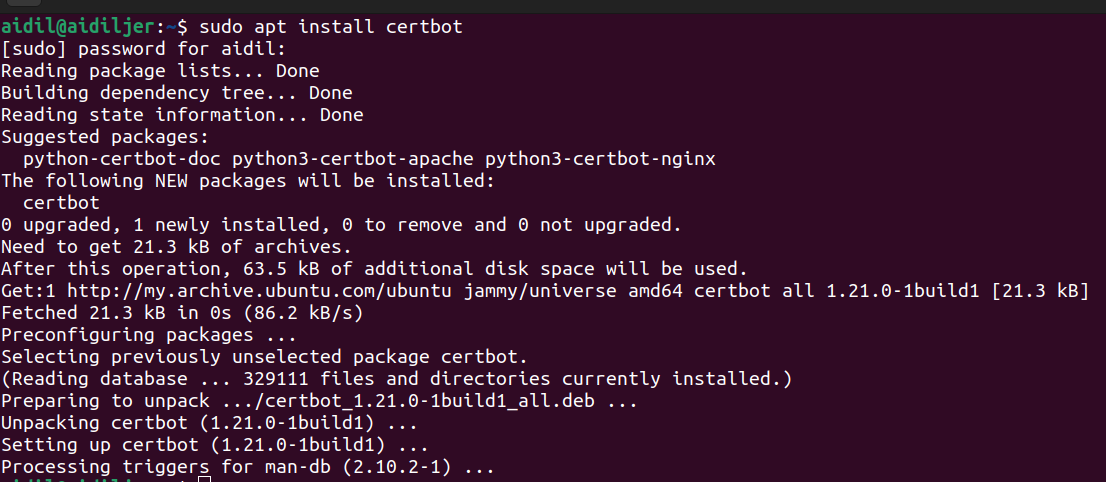
Creating Wildcard Certificate
Once finished installing Certbot, now we are able to generate our wildcard certificate with the following command.
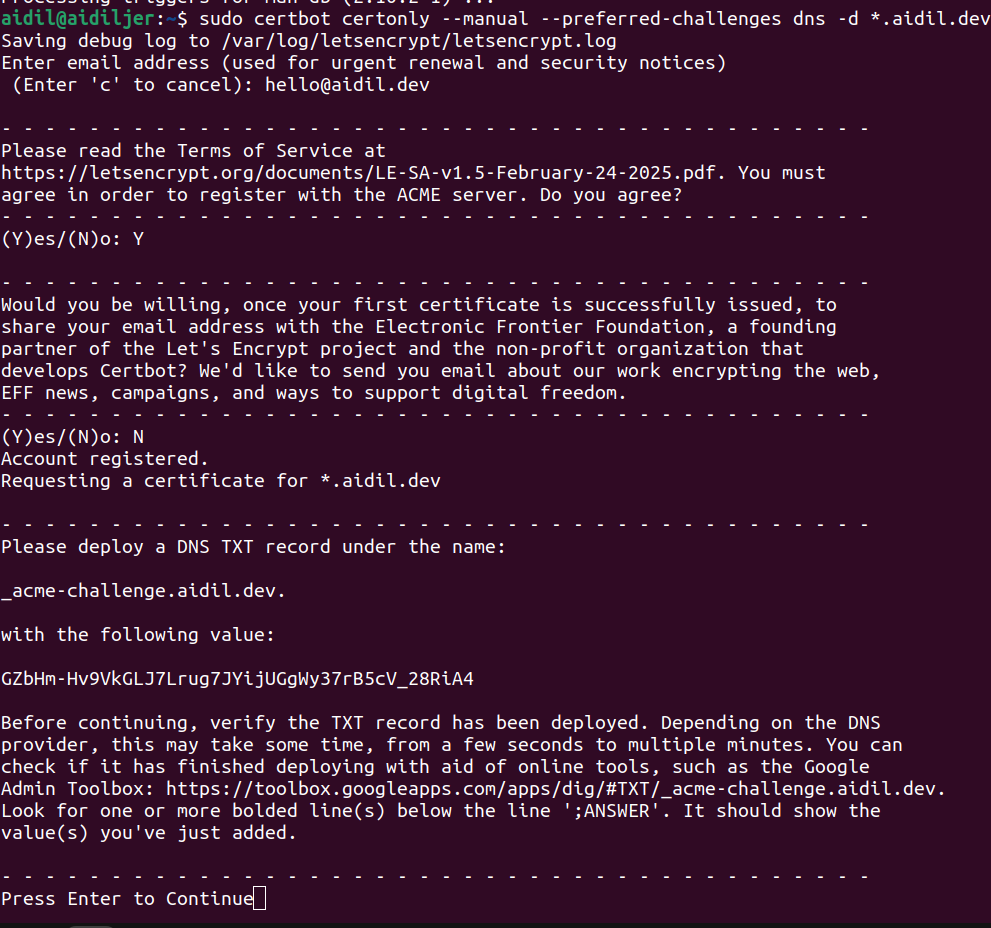
sudo certbot certonly --manual --preferred-challenges dns -d *.domain.tldExplaination:
sudo certbot certonly: Command to generate a certificate--manual: Generated certificate will not be auto renewed--preferred-challenges dns: using DNS-01 challenge. This is the only challenge supported by Let's Encrypt to create wildcard certificate.-d *.domain.tld: Domain we want our certificate to be. Replace *.domain.tld with your domain.
It will then ask you to provide an support email for expiry reminder.
After that, the certbot will ask you to create a TXT DNS record named _acme-challenge with some random value.
Head over to your DNS record, in this example, I used Cloudflare DNS record. Create a new TXT record and name it _acme-challenge and put the value that certbot gave.
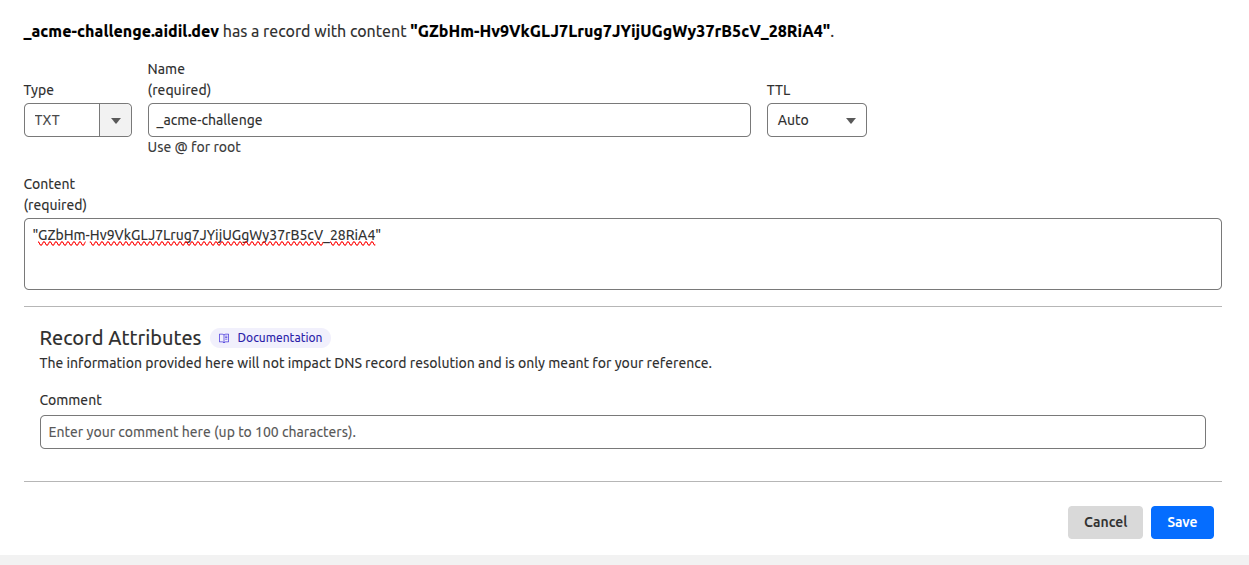
Wait for a few minutes, my suggestion would be to wait for at least 5 minutes before continuing.So, sit down and do some stretches.
Authorizing Certificate
After waiting for a few minutes, head back to terminal and press enter, certbot will authorize that the DNS record has been created and will return back a wildcard certificate.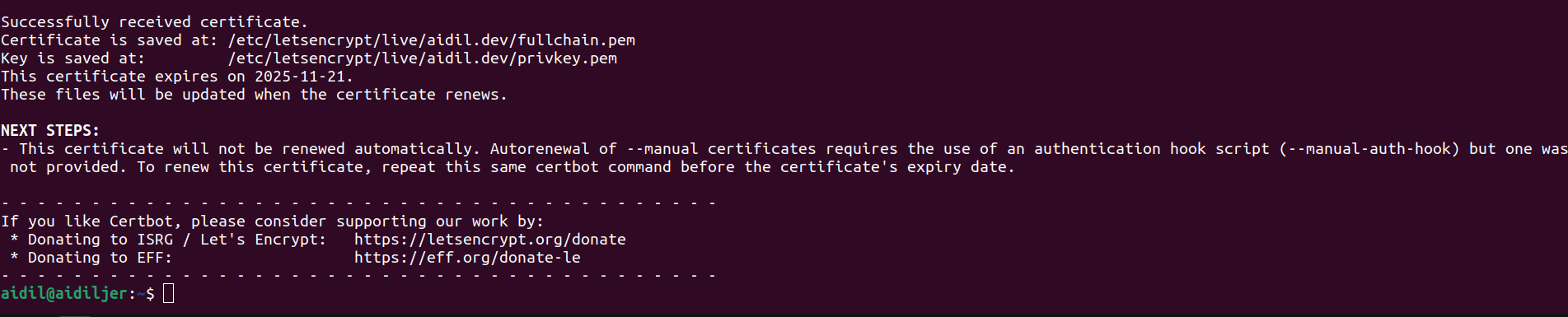
That's it. Thank you for reading.